MacVis — the local-first AI agent for macOS.
Open-source desktop AI assistant for your Mac. Bring your own keys for Anthropic Claude, OpenAI GPT, Google Gemini, OpenRouter, Groq, or Ollama. Full Mac access — bash, filesystem, web search, MCP integrations, and a Telegram remote. No backend. No telemetry. No subscription.
What is MacVis?
MacVis is a native macOS desktop app that runs the same kind of agentic loop you get from Claude Desktop or ChatGPT for Mac — but the agent lives entirely on your machine, you choose the model, and every chat, project, and API key stays local.
Built for developers and power-users who want a real agent to drive their environment without sending their workspace to a third party.
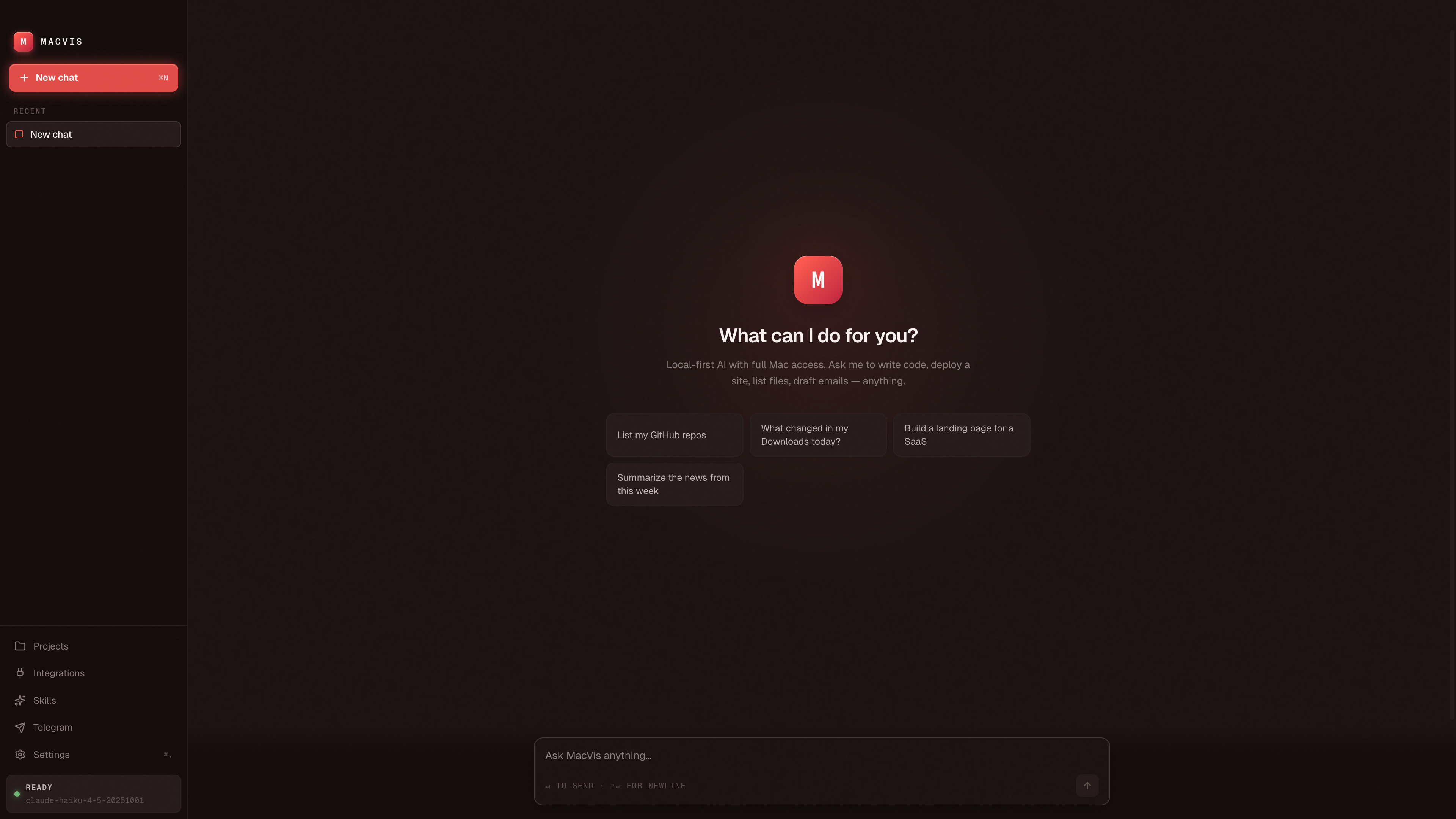
Highlights
- Multi-provider with automatic fallback — pick a primary, secondary, and tertiary model. If one rate-limits, MacVis silently switches to the next.
- Bring-your-own-key (BYOK) — Anthropic, OpenAI, OpenRouter, Gemini, Groq, Ollama. One-click
Testbutton validates each key and fetches the actual model list you can use. - Persistent memory — every chat saved to
~/.macvis/sessions/. Reopen the app, your history is there. The agent remembers what it created in prior turns. - Projects view — every code project the agent creates appears in a dedicated page with one-click Open in Browser / Editor / Finder + Run.
- 19 built-in MCP integrations — GitHub, Vercel, Supabase, Railway, Slack, Stripe, Notion, Linear, Postgres, and more — plus a Custom MCP form for anything.
- Telegram remote — single-user-gated bot. Message your bot from your phone, the agent runs on your Mac, the conversation shows up as a chat in MacVis.
- No backend, no telemetry — all data flows directly between your Mac and the providers you configured. Open the network tab and verify.
Compare
vs Claude Desktop
Claude Desktop is Anthropic-only with no agent loop. MacVis routes to any provider, has full tool-use, persistent memory, MCP support, and a Projects view.
vs ChatGPT for Mac
ChatGPT for Mac is closed-source and OpenAI-only. MacVis is open-source, local-first, multi-provider, and gives the agent real access to your machine.
vs Open WebUI
Open WebUI runs in a browser tab and focuses on Ollama. MacVis is a native desktop agent built around tool-use and MCP, not just chat.
vs Cursor / Continue
Those are agent surfaces inside your editor. MacVis is a standalone desktop agent — it can run bash, deploy to Vercel, message Slack — not just edit code.
Frequently asked questions
Is MacVis free?
Yes. The app is MIT-licensed and free to download. You pay only the providers you choose to use (Anthropic, OpenAI, etc.). Ollama and local Llama models work too — no provider cost at all.
Is there a Claude Desktop alternative for Mac that supports MCP?
Yes — MacVis. It supports Anthropic's MCP (Model Context Protocol) with 19 built-in integrations including GitHub, Vercel, Supabase, Slack, Stripe, Notion, and Linear, plus a Custom MCP form for any other server.
Can I run an AI agent locally on my Mac?
Yes. MacVis runs entirely on your Mac. Combined with Ollama, you get a fully-local agent loop — no internet required and no API keys.
Does MacVis send my data anywhere?
No. There's no backend. API calls go directly from your Mac to whichever providers you configured. All conversations are stored as JSON files in ~/.macvis/sessions/ on your machine.
What models does MacVis support?
Any model from these providers: Anthropic Claude (Opus / Sonnet / Haiku), OpenAI (GPT-4o, GPT-5, o-series), Google Gemini (2.5 Pro / Flash), OpenRouter (200+ models), Groq (Llama / Mixtral), and Ollama (any local model).
Is MacVis open source?
Yes — github.com/asim266/macvis, MIT-licensed. Contributions welcome — see CONTRIBUTING.md or pick up a good first issue.
How is MacVis different from Claude Code, Cursor, or Continue?
Those are agent surfaces embedded in your editor. MacVis is a standalone desktop assistant — separate from your IDE, can drive bash / Finder / Mail / any MCP-connected service, and has its own persistent memory.
Is it signed and notarized?
Not yet. On first launch you'll need to right-click → Open or run xattr -d com.apple.quarantine /Applications/MacVis.app. Code-signing is on the roadmap — issue #2.